Use a schedule in Studio to update entries when their expiry date arrives. This example uses entries in the Active state. You can change the state and date field to suit your case.
How to set it up
-
Open your module in Studio and click Add Schedule.
-
Name: Enter a name, such as “Mark entries as Expired”.

-
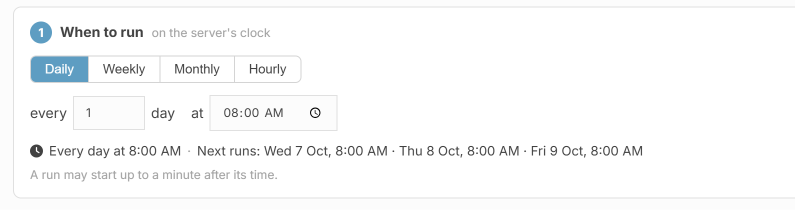
When to run: Choose Daily and a time, such as 8:00 AM. The schedule checks for matching entries every 8 AM.
-
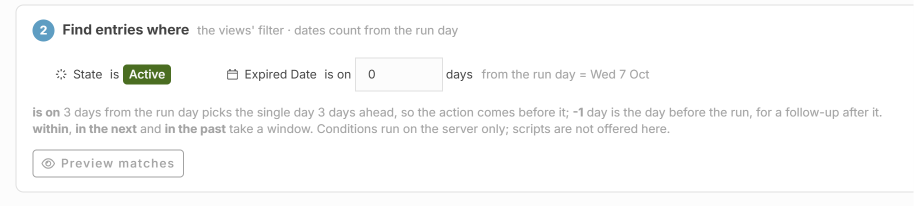
Find entries where: Add these conditions:

- State is Active: Only update entries that are still active.
-
Expiry Date is on 0 days from the run day: Find entries whose expiry date is today.
-
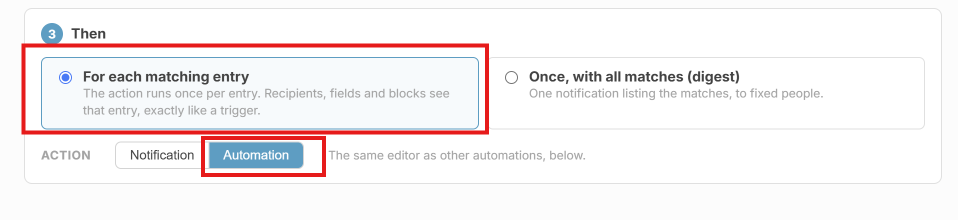
Then: Choose For each matching entry → Automation.
-
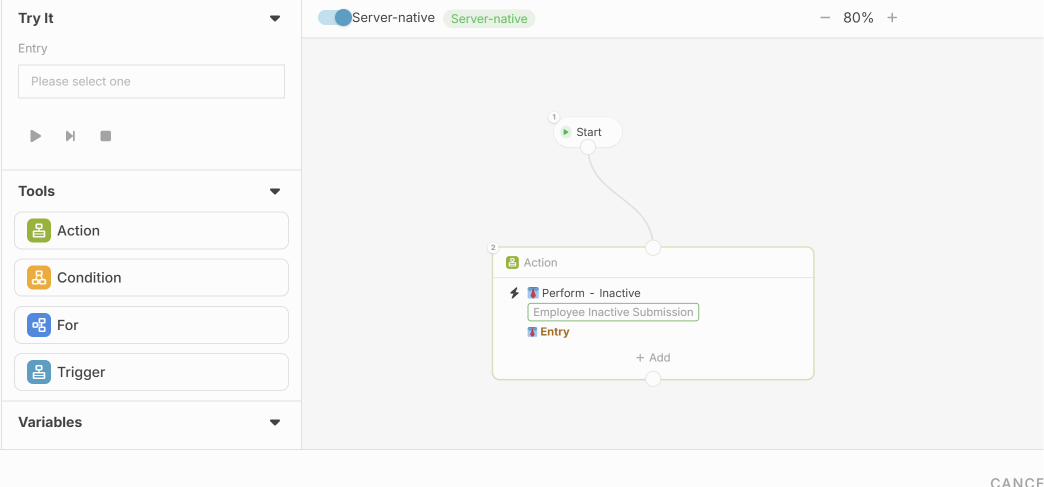
Automation action: Configure the action to change the entry’s State to Expired.
Example
An entry is Active and expires on 15 October. When the schedule runs at 8:00 AM on 15 October, it changes the state to Expired.
The change happens at the schedule’s chosen time. Choose a time that suits your expiry rules.