Guide
How to refresh the Inistate tool list in Claude Desktop.
Use this when tools have been added, removed, or updated on the Inistate side but Claude is still showing the old set — refreshing pulls in the latest tools without disconnecting.
Steps
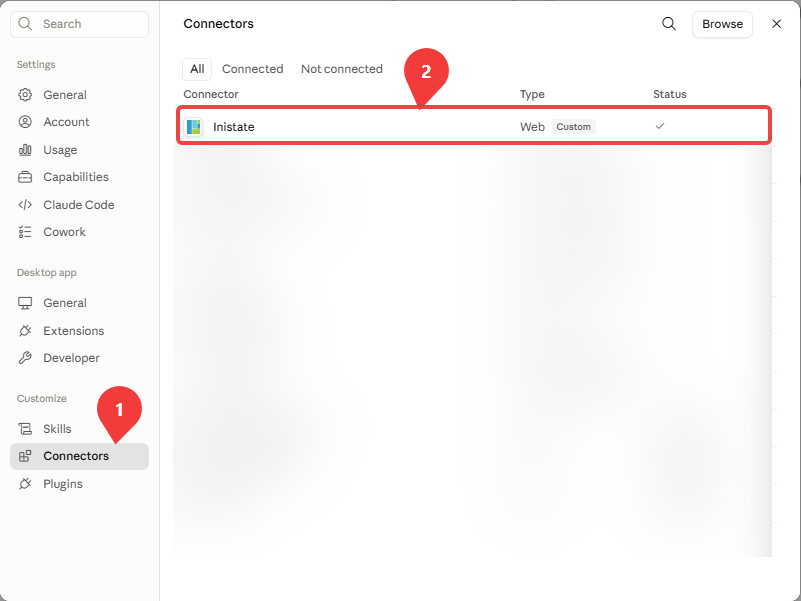
1. Open the Inistate connector
Open Settings (or press CTRL + , (comma)), click Connectors, then click Inistate.
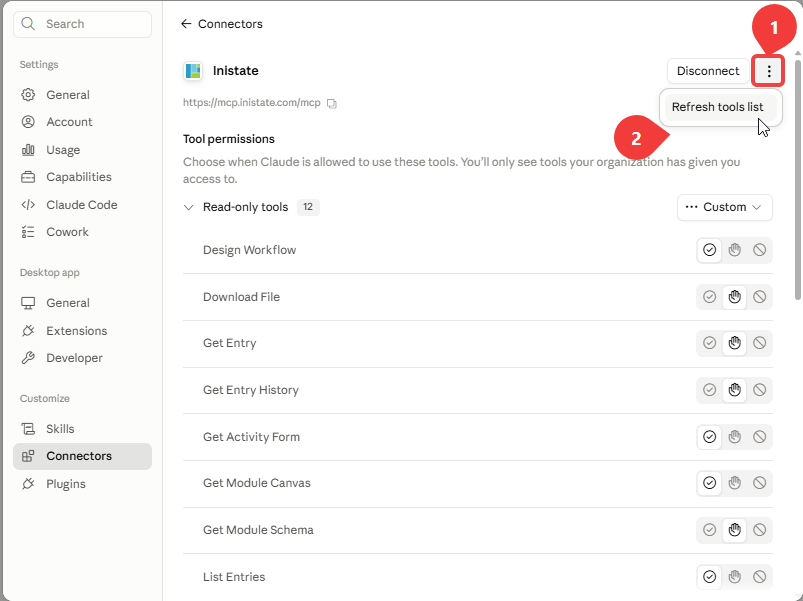
2. Refresh the tools list
Click the 3 vertical dots (top right), then click Refresh tools list.
That’s it — the tool list is now up to date. If tools still look outdated, try disconnecting and reconnecting the connector instead.