Steps to Register a Device in Sendweiser
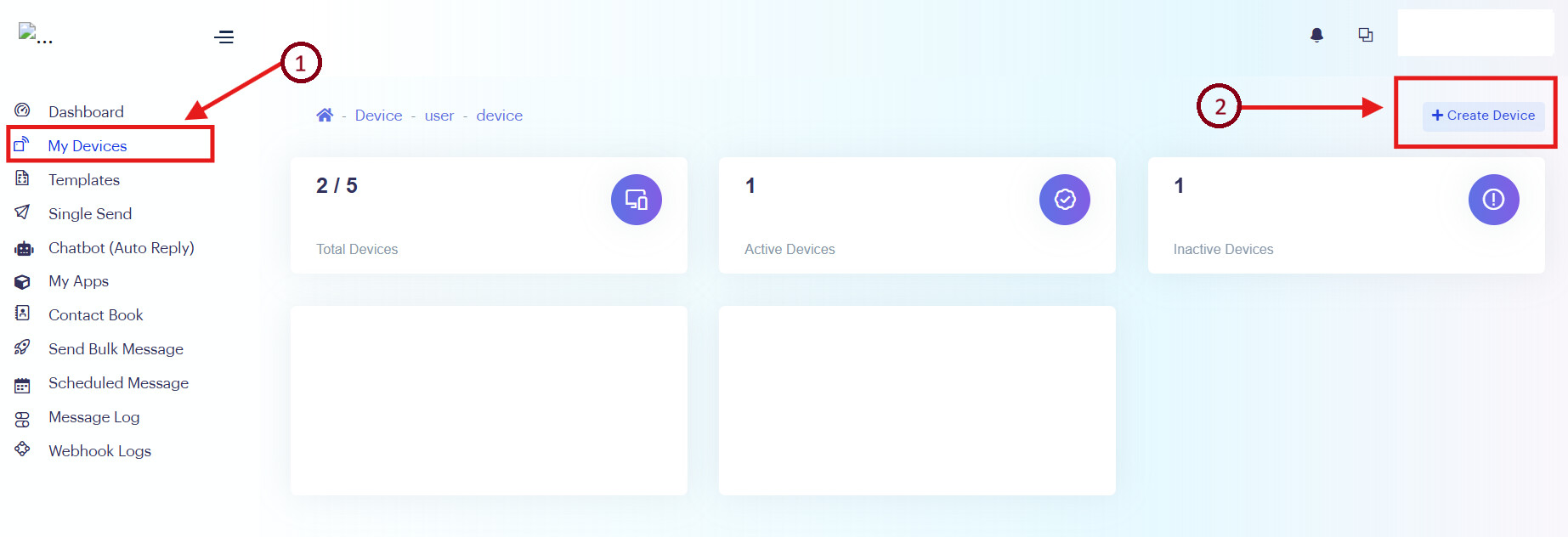
After login to Sendweiser,
Step 1: Go to ‘My Devices’
Step 2: Click ‘+ Create Device’
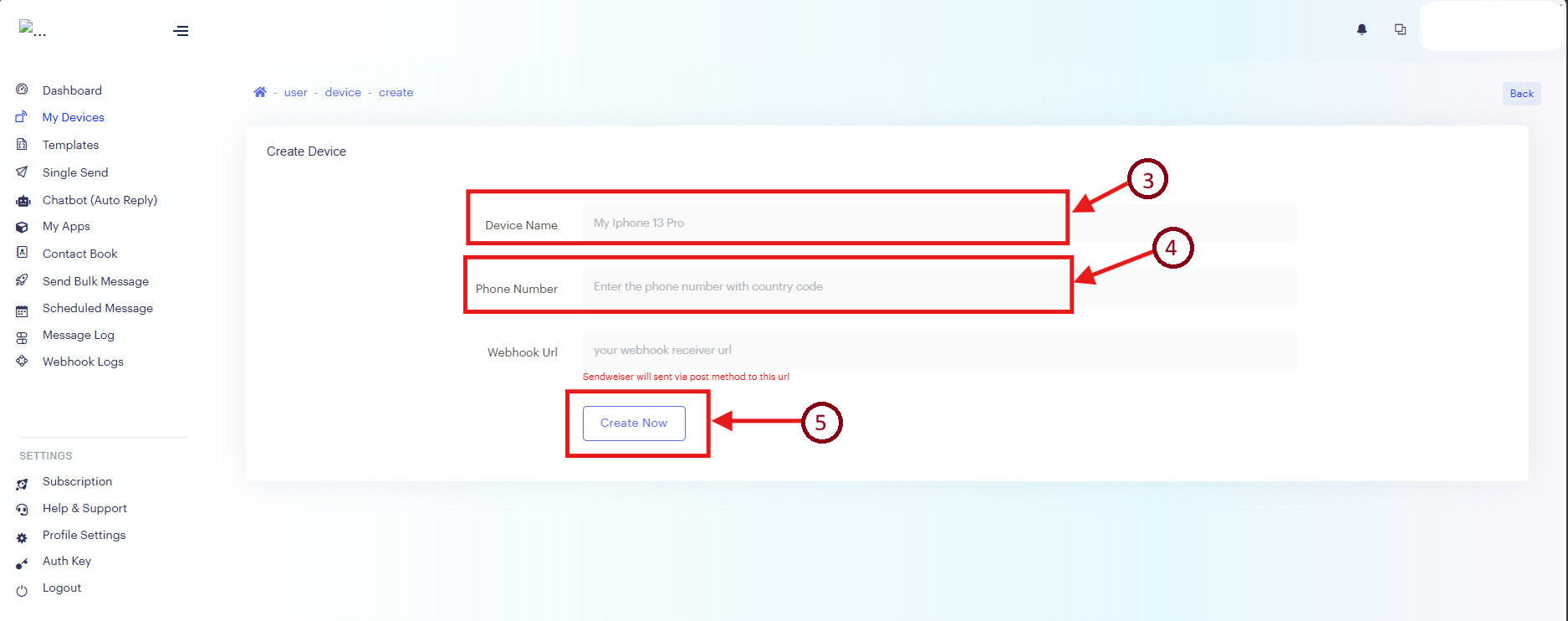
Step 3: Fill in the Device Name (eg. Phone 1)
Step 4: FIll in the Phone Number (eg. +601612312345)
Step 5: Click ‘Create New’
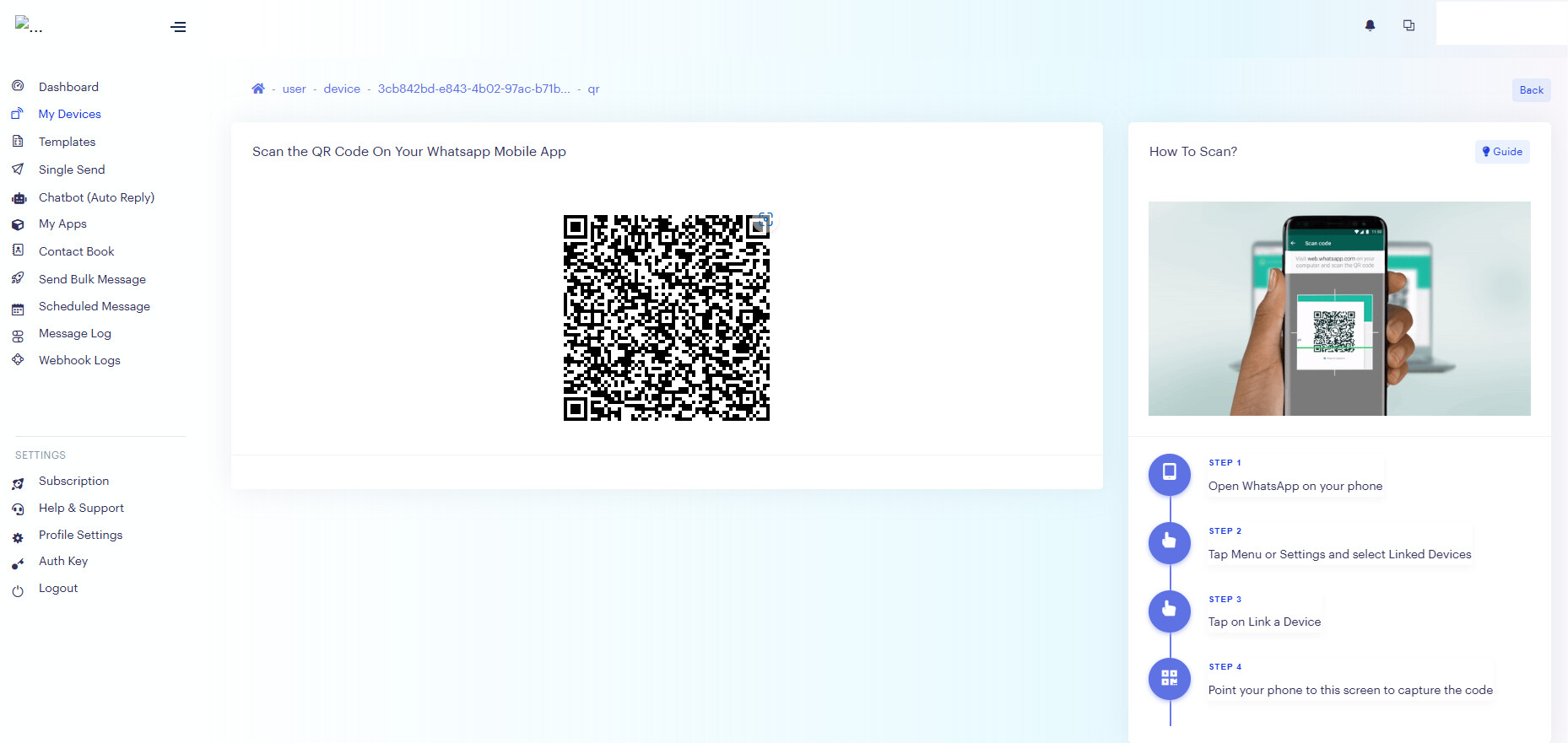
Step 6: Open WhatsApp on the registered phone number, scan the QR code provided, and follow the steps to complete the binding.
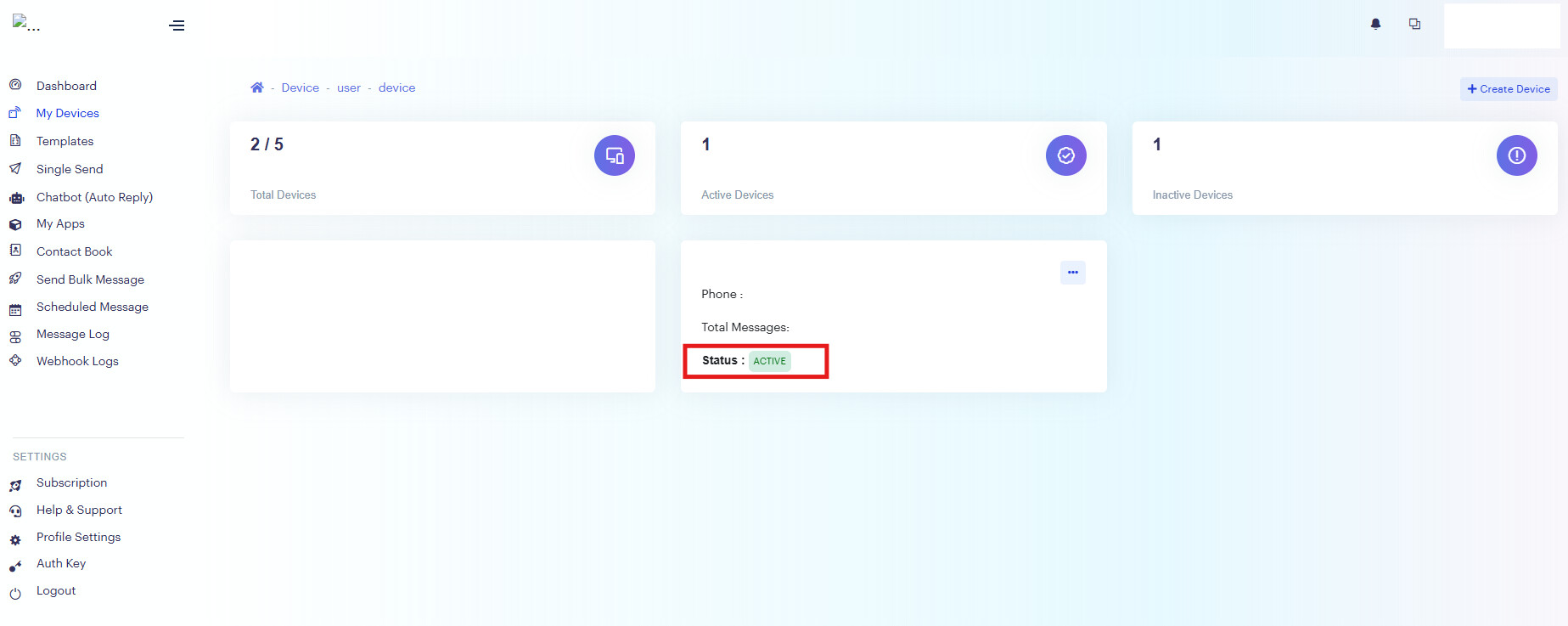
Once done, the status for that phone number will change to Active.
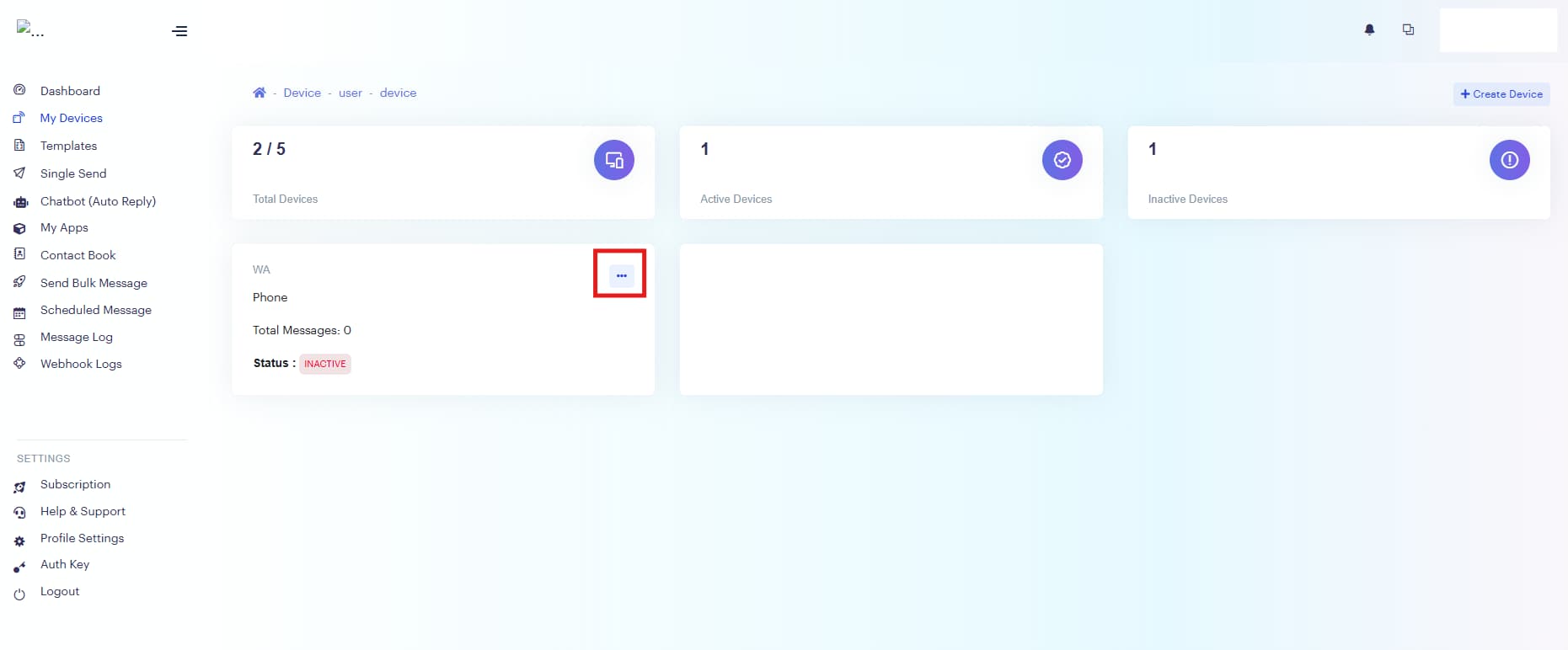
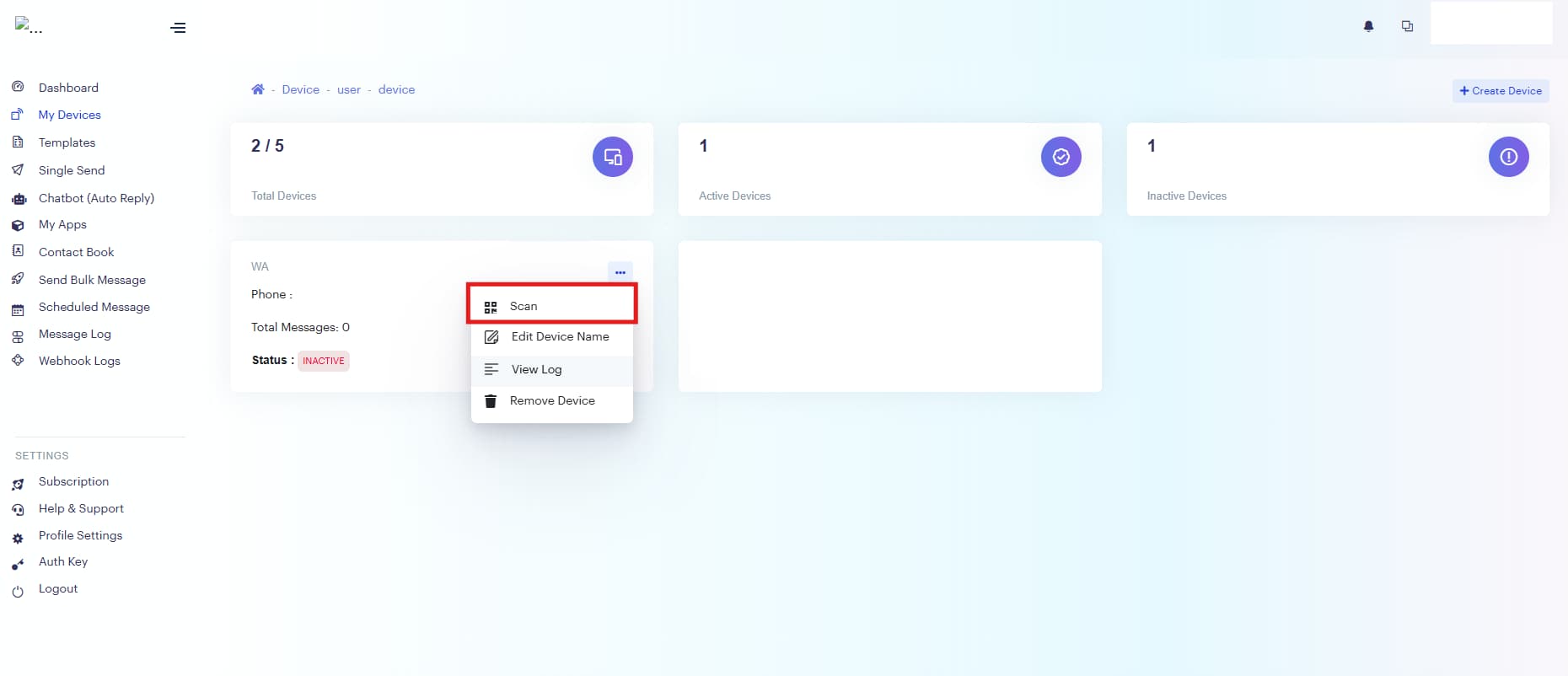
Note: If the phone is not with you at the time of registration, you can access the QR code later from the home page by clicking the three-dot menu. (see screenshots below).
Reminder: Once setup is done, do check that the phone number status has changed to Active. If it hasn’t, please redo the QR code scanning step.