Hello everyone!
Want to see how work moves through a module? Here’s how to open its workflow view:
-
Open the module you want to explore.
-
Click the Workflow icon in the top-right corner.
-
Follow the arrows to see the states a request can move through and the activities that move it between them.
-
Hover over an activity to preview its form.

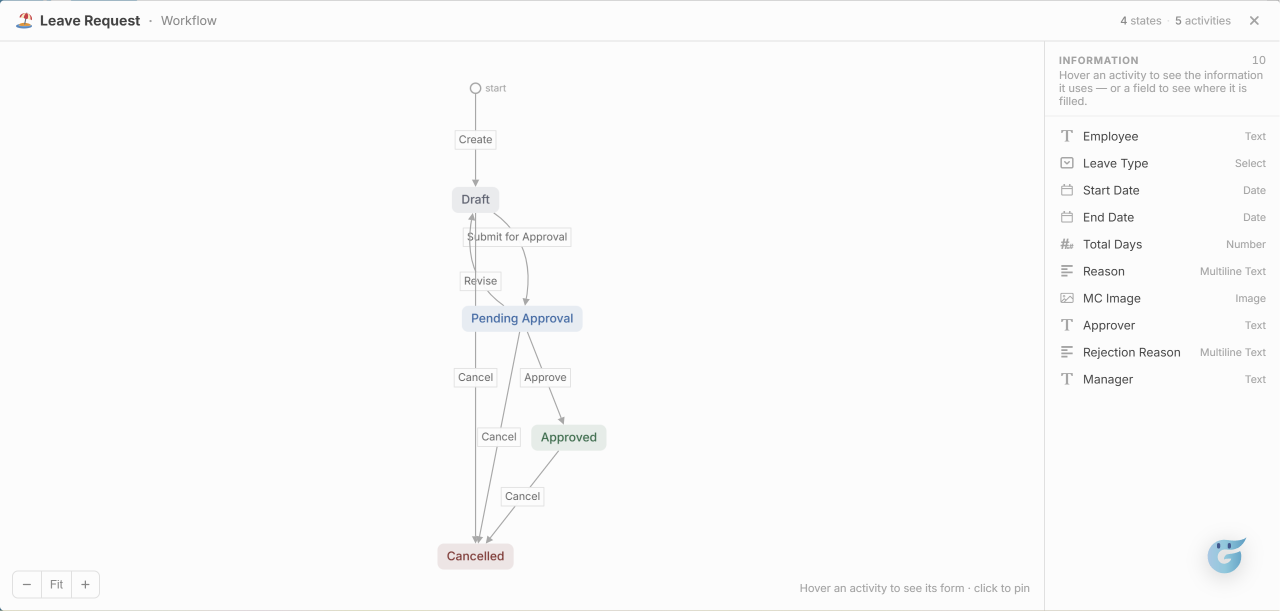
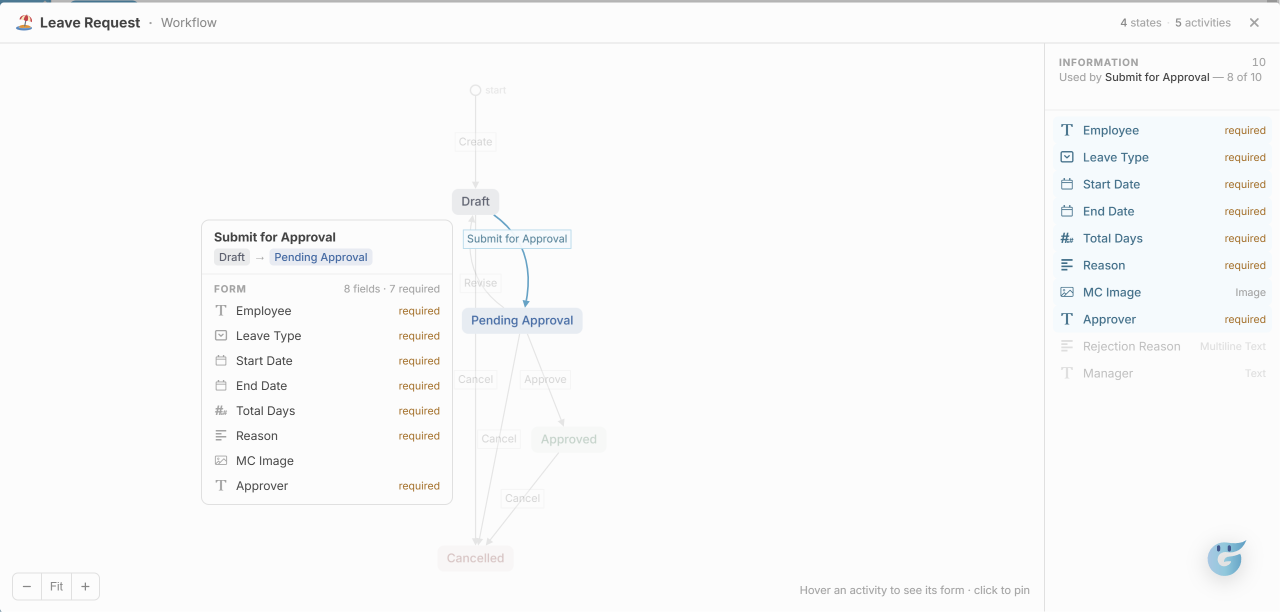
The workflow view helps you understand the possible steps in a module and what information each activity needs.