How do you manage approvals in n8n long-running workflows?
Your automation sends an expense claim to a manager. But the manager only approves it two days later.
n8n can wait for a response. However, your team still needs to know: Is the claim pending? Who needs to approve it? Has a decision been made?
Inistate helps solve this by keeping the claim’s details and status in one place. n8n runs the automatic steps when needed.
For example:
-
An employee submits a RM250 claim in Inistate.
-
n8n checks the claim and moves it to Pending Manager in Inistate. That n8n run then ends.
-
The claim stays in Inistate for two days, where the team can check its status.
-
The manager approves it in Inistate.
-
The approval starts a new n8n run, which emails the employee.
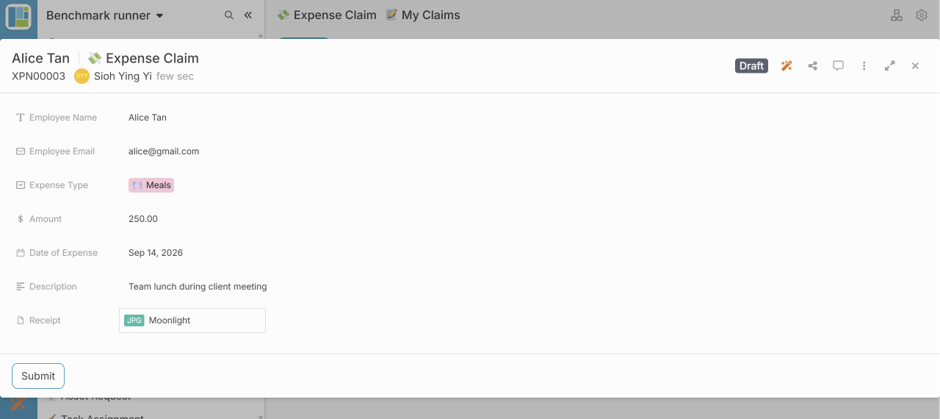
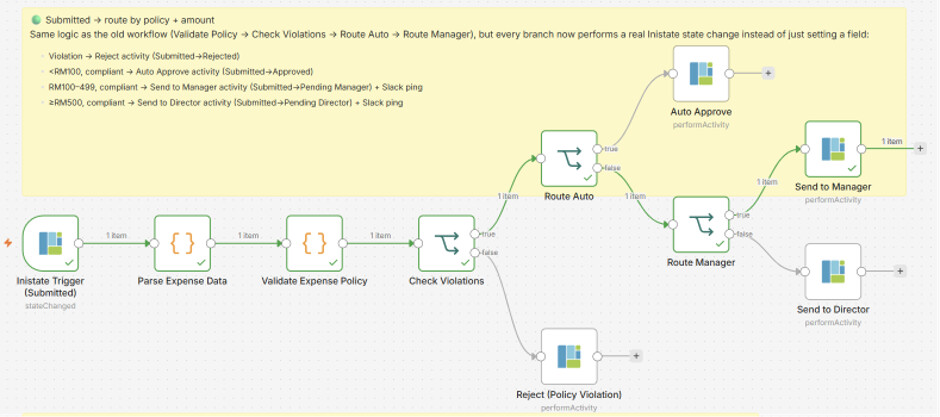
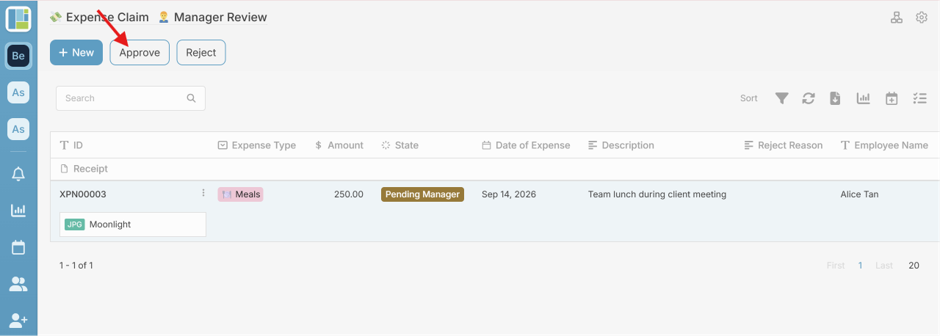
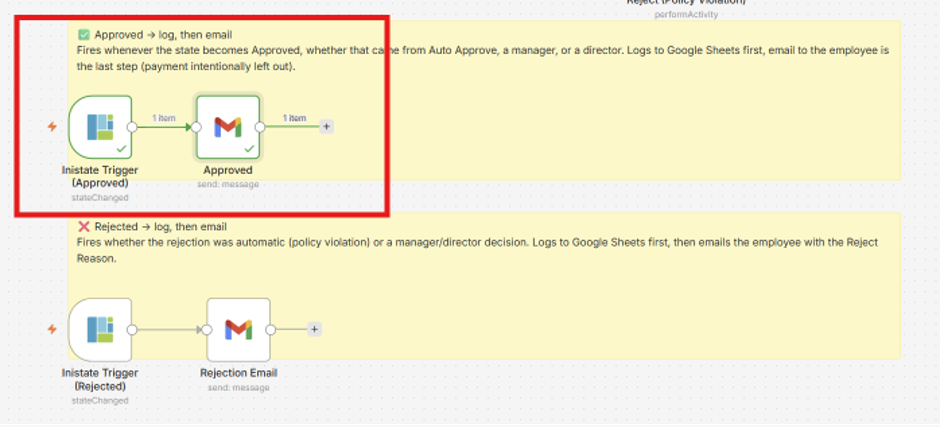
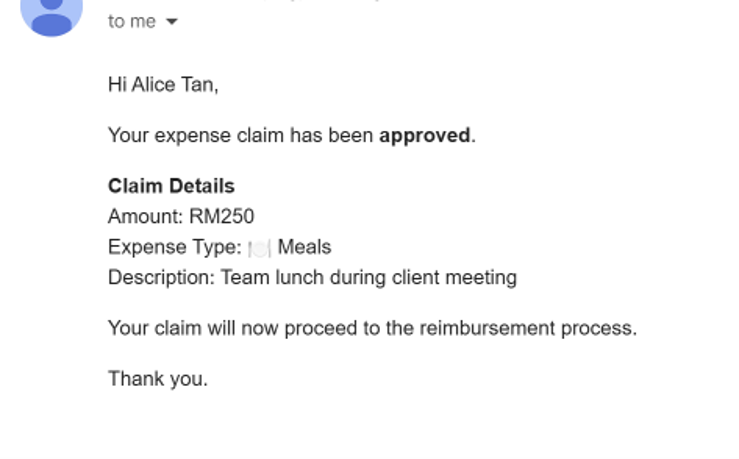
The claim takes two days to complete, but no single n8n run needs to wait for those two days. Inistate keeps the claim in Pending Manager until the manager makes a decision. That decision changes the claim’s status and triggers the next n8n run.
Inistate keeps track of the work. n8n handles the automation.
Do you have approvals that take days to complete? How does your team keep track of them?