Hi Inistate community 
Let’s take a look at how to manage updates with the Skip Validation function in Studio.
In this tutorial, you will learn how to use the Skip Validation feature to control how updates in the Studio are applied to their respective modules. With this feature, you can manage updates more efficiently and enjoy greater flexibility when working on modules.
What is Skip Validation?
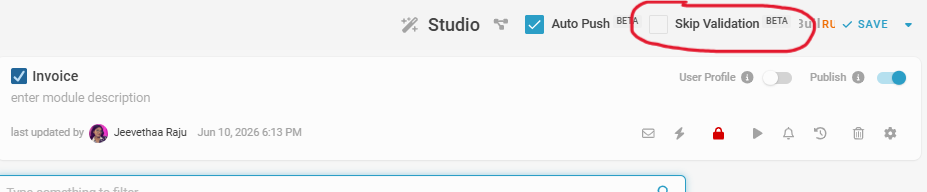
- The Skip Validation icon can be found in the top-right corner of the Studio page, just beside the Auto Push.
- Enabled: Consistency checks are skipped when you click Save.
-
Disabled: Consistency checks are performed automatically when you click Save.
How to Manage Skip Validation?
- By default, Skip Validation is disabled.
- If you do not want the system to perform a consistency check, enable the Skip Validation option before making your changes.
- When Skip Validation is enabled, the system saves your changes without running consistency checks.
- When Skip Validation is disabled, the system performs consistency checks before saving and highlights any configuration inconsistencies that need to be resolved.
Note: Keeping Skip Validation disabled helps identify and prevent inconsistent configurations.
 Let’s master this feature to streamline your workflow and maintain full control over your updates!