Hi everyone 
In this tutorial, I’ll show you how to connect Inistate with n8n so you can use Inistate inside your n8n workflows.
Once connected, you can use n8n to automate processes between Inistate and other applications, such as creating records, updating data, sending notifications, or connecting Inistate with other services.
Before Getting Started
Make sure you have:
- An Inistate account and workspace
- An n8n account
- Access to create a workflow in n8n
Step 1 – Create a New Workflow in n8n
Open n8n and create a new workflow.
Click Add first step or the + button to add a new node.
Search for:
Inistate
Select the Inistate node from the node list.
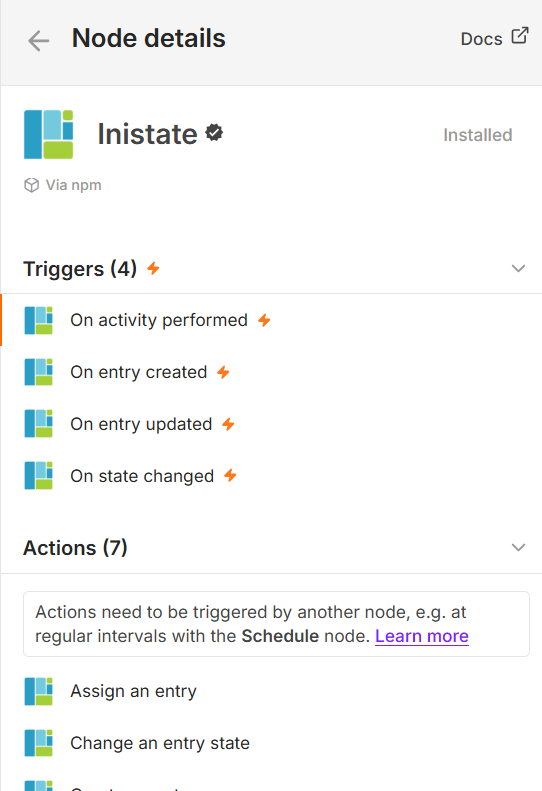
Choose action or trigger that you want to perform and add the Inistate node in n8n.
Step 2 – Connect Your Inistate Account
Open the Inistate node and go to the Credential section.
Create a new Inistate credential and enter the required connection information.
After saving the credential, n8n will be able to communicate with your Inistate workspace.
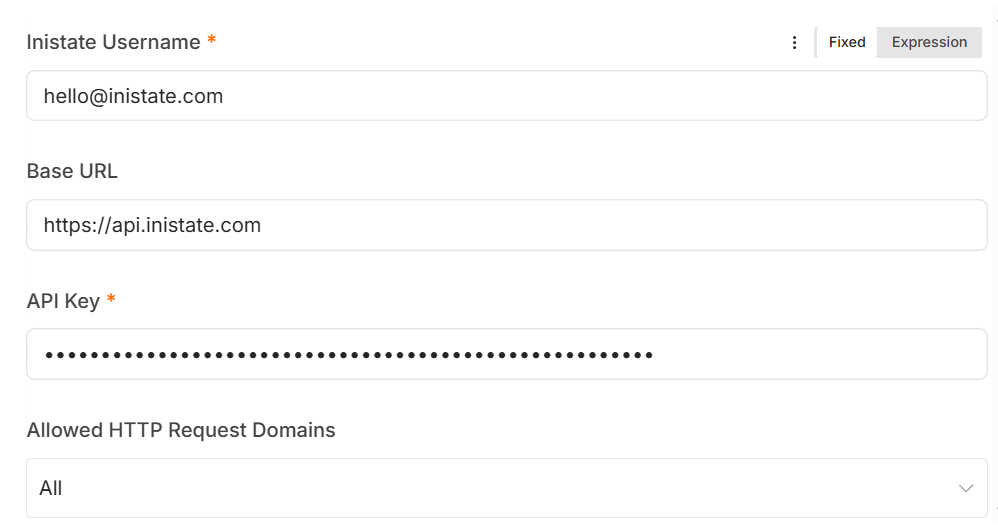
Inistate credential configuration.
Step 3 – Configure the Inistate Node
Select the required workspace or module and configure the fields that you want to send to Inistate.
Map the data from the previous n8n node to the corresponding fields in your Inistate module.
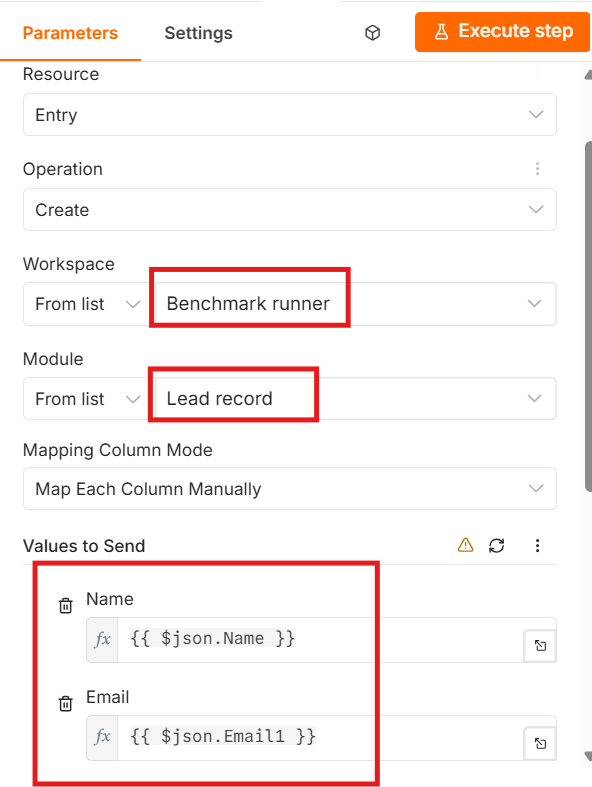
Example field mapping between n8n and Inistate.
Step 4 – Test the Connection
Click Execute Step or run the workflow.
If the connection and field mapping are configured correctly, the data should be sent to Inistate.
Open your Inistate workspace and check the module.
You should see the new record created from your n8n workflow.
This makes it easier to use n8n for automation while using Inistate to manage the records, states, and business process .