Prerequisite: Your device must be active and available in Sendweiser before proceeding. If not, please set it up here first: How to Register a Device in Sendweiser
Steps to get Sendweiser API Key
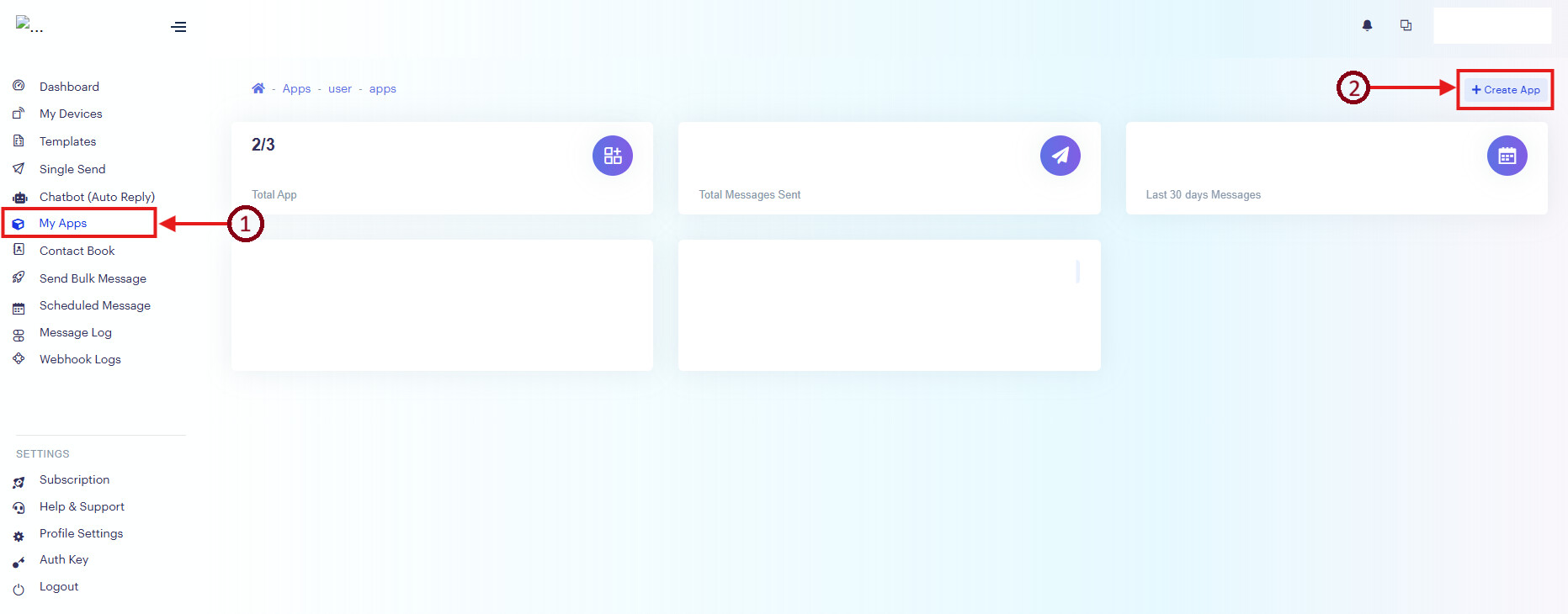
After login to Sendweiser,
Step 1 : Go to ‘My Apps’
Step 2 : Click ‘+ Create App’
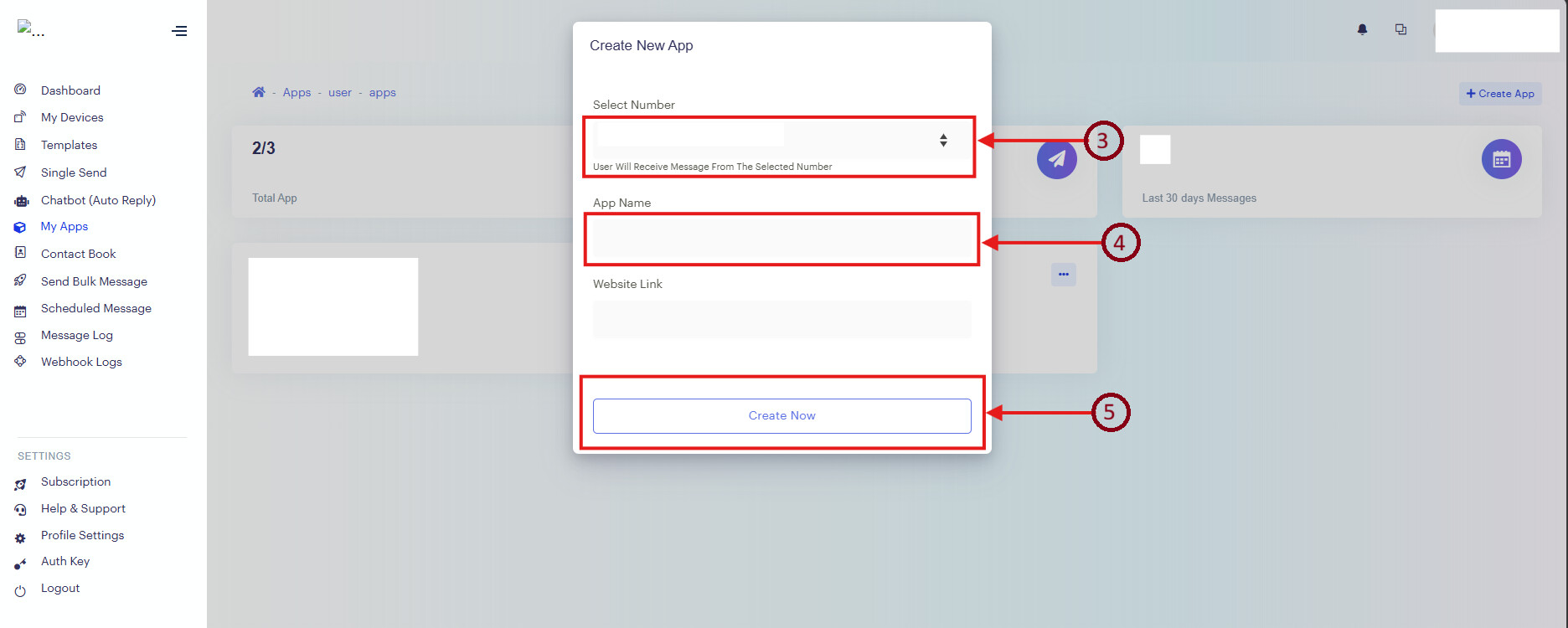
Step 3 : Select the Phone Number which registered
Step 4 : Fill in the App Name (eg. App 1)
Step 5 : Click ‘Create New’
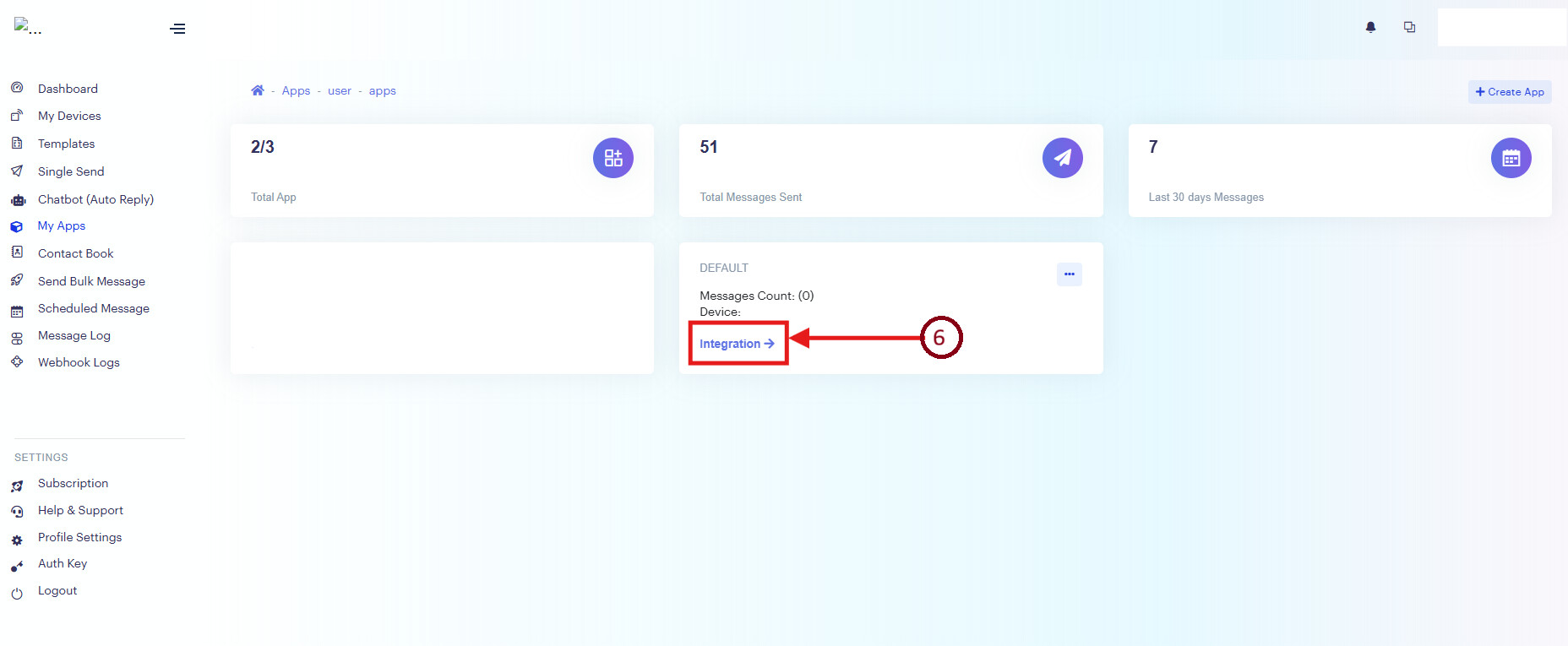
Step 6 : Click ‘Integration’ for the selected phone number
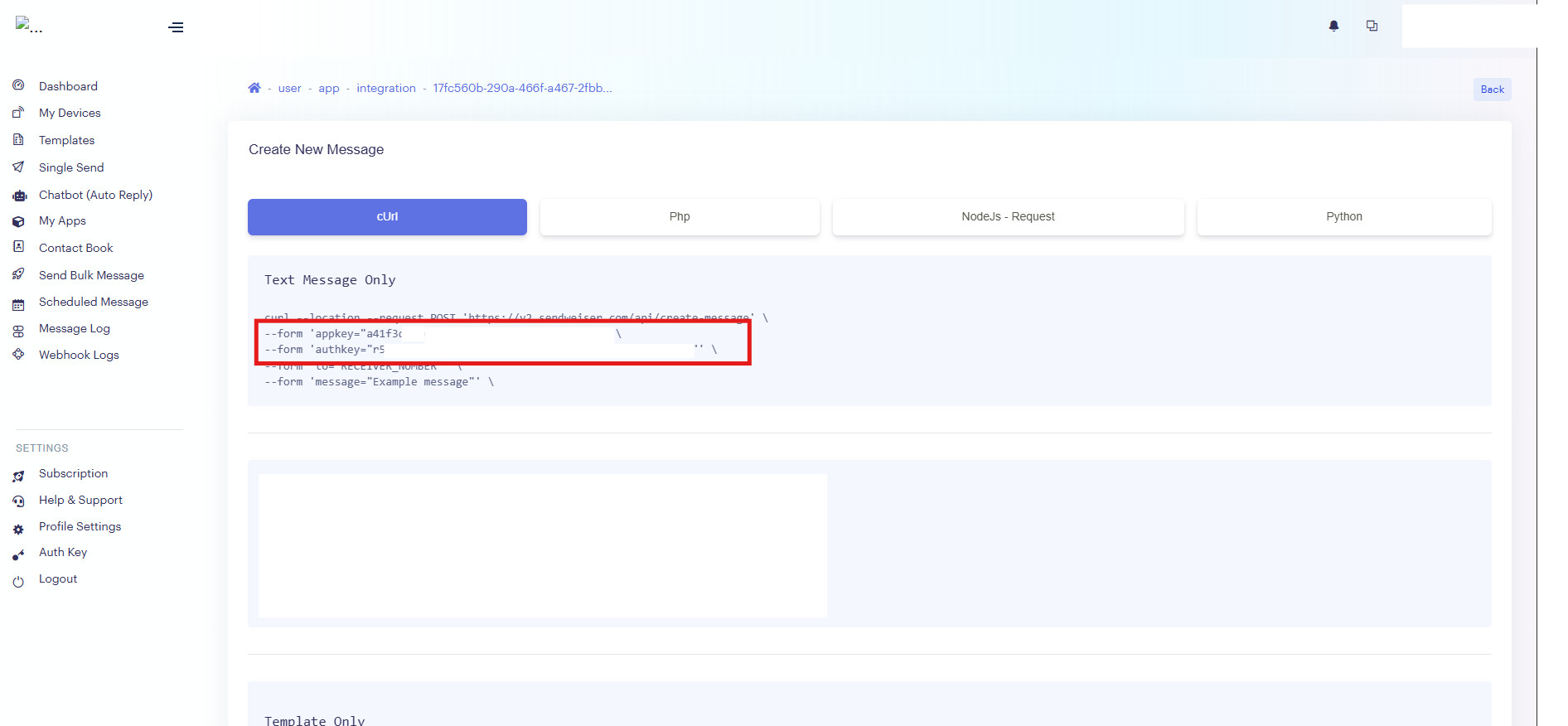
Step 7 : Copy these two lines into Notepad.
This is the api key that needed